
Appearance
Load types: what a bin holds
Why it matters
A rack spec says how big the hole is. It says nothing about what goes in it. A rack that fits a 1 165 mm Australian pallet may not fit a 1 200 mm European one. A load of drums is heavier than a load of crisps. Load types let the platform check that what you plan to store actually fits.
In plain words
A load type describes one unit of storage: items across × deep × layers, on a pallet or loose.
For example, "AU pallet of cartons": cartons 400 × 300 × 250 mm, arranged 3 across, 4 deep, 4 layers high, on an Australian standard pallet. From that, the platform works out the envelope: the overall width, depth and height of the whole load, and its weight.
In Warehouse Studio
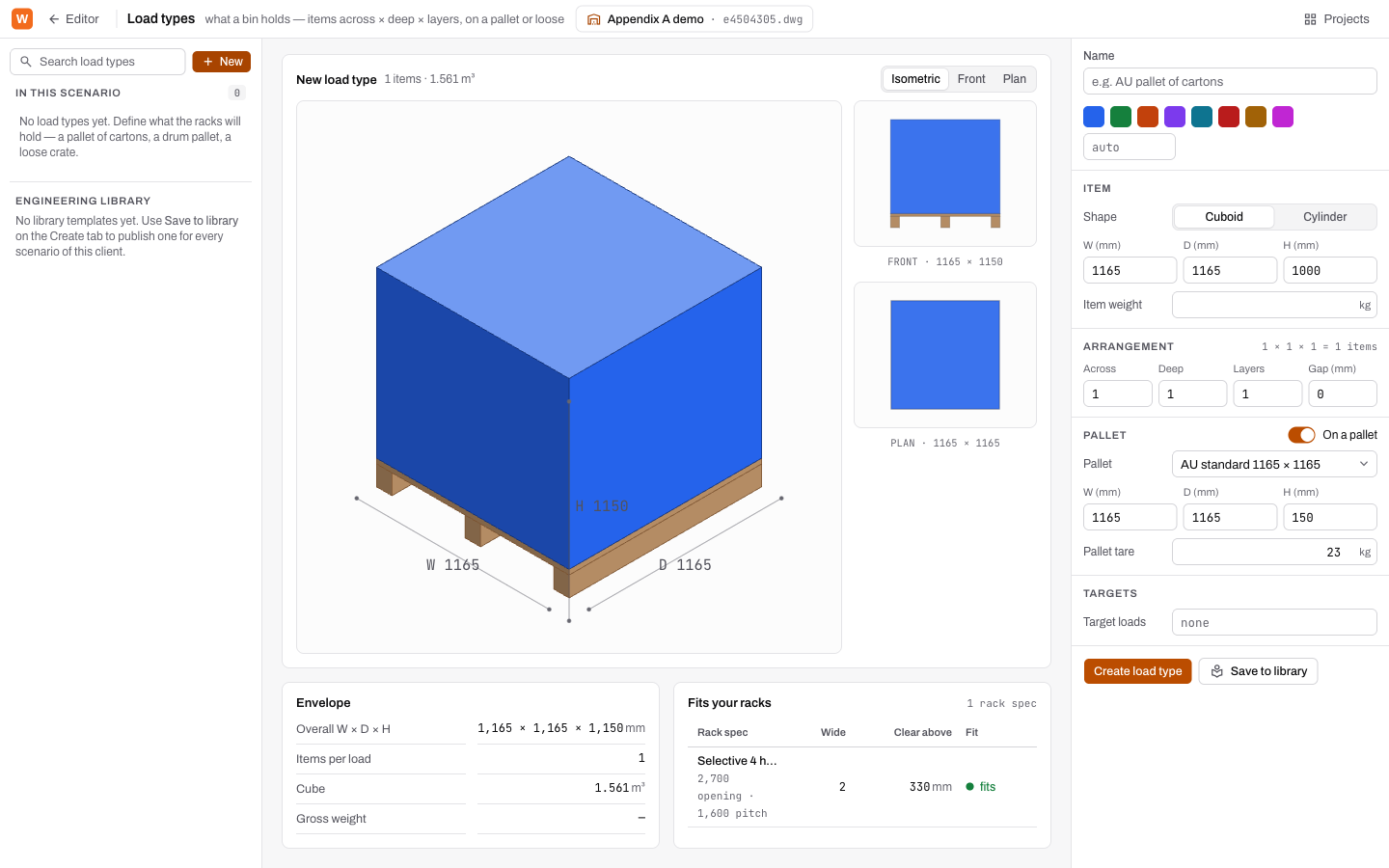
On Storage & Equipment, click Load types. The page has three parts: the catalogue on the left, the preview in the middle and the form on the right.
Make a load type
- Click New.
- Fill in the form:
| Section | Fields |
|---|---|
| Name | Name and a colour, used wherever this load is drawn. |
| Item | Shape (Cuboid or Cylinder), W, D, H in mm (a cylinder takes a Diameter), Item weight. |
| Arrangement | Across, Deep, Layers, Gap (mm) between items. |
| Pallet | On a pallet, the Pallet size, its W / D / H and Pallet tare (its own weight). |
| Targets | Target loads: how many of these you need to store. |
- Click Create load type.
The pallet presets are the common world sizes:
| Preset | Size (mm) |
|---|---|
| AU standard | 1165 × 1165 |
| AU half pallet | 1165 × 582 |
| EUR 1 (EPAL) | 1200 × 800 |
| EUR half (Düsseldorfer) | 800 × 600 |
| ISO industrial | 1200 × 1000 |
| GMA / CHEP | 1219 × 1016 (48 × 40 in) |
Read the preview
The middle of the page draws the load as you type: Isometric, Front and Plan. Under it:
- Envelope: overall W × D × H, items per load, cube (m³) and gross weight. A warning appears if items overhang the pallet.
- Fits your racks: for every rack spec in the scenario, how many fit side by side (Wide), the room left above (Clear above) and a Fit verdict: fits, tight or fails.
Share it
Save to library puts the load type in the project's Engineering Library, so every scenario can use it.
Try it
Make an AU pallet of cartons load type and check it fits the spec you made in the last lesson. Then change the Layers until it says tight, and read why.
Words you just learned
Load type · item · arrangement · envelope · tare · fit: fits, tight, fails.