
Appearance
The labour estimate
Why it matters
Before any simulation, a client wants to know: how many people, how many forklifts, roughly what will it cost? The labour estimate answers that in an instant, from the profiles and the drawing.
In plain words
For every process, the estimate multiplies how much by how long:
text
pallets unloaded a week × time to unload one pallet = unloading hours a weekThe time to do a task has two parts:
- Handling: picking up, setting down, scanning. Taken from the pool's settings.
- Travel: driving or walking between places. Measured along the real aisles of your drawing, from the door to each bay and back.
Add up the hours of every process, spread them over the shifts by when the work happens, and compare with the hours the pools have available. That is the whole estimate. It is called static because nothing queues: it is the work, not the waiting.
In Warehouse Studio
On the Simulate page, click Labour.
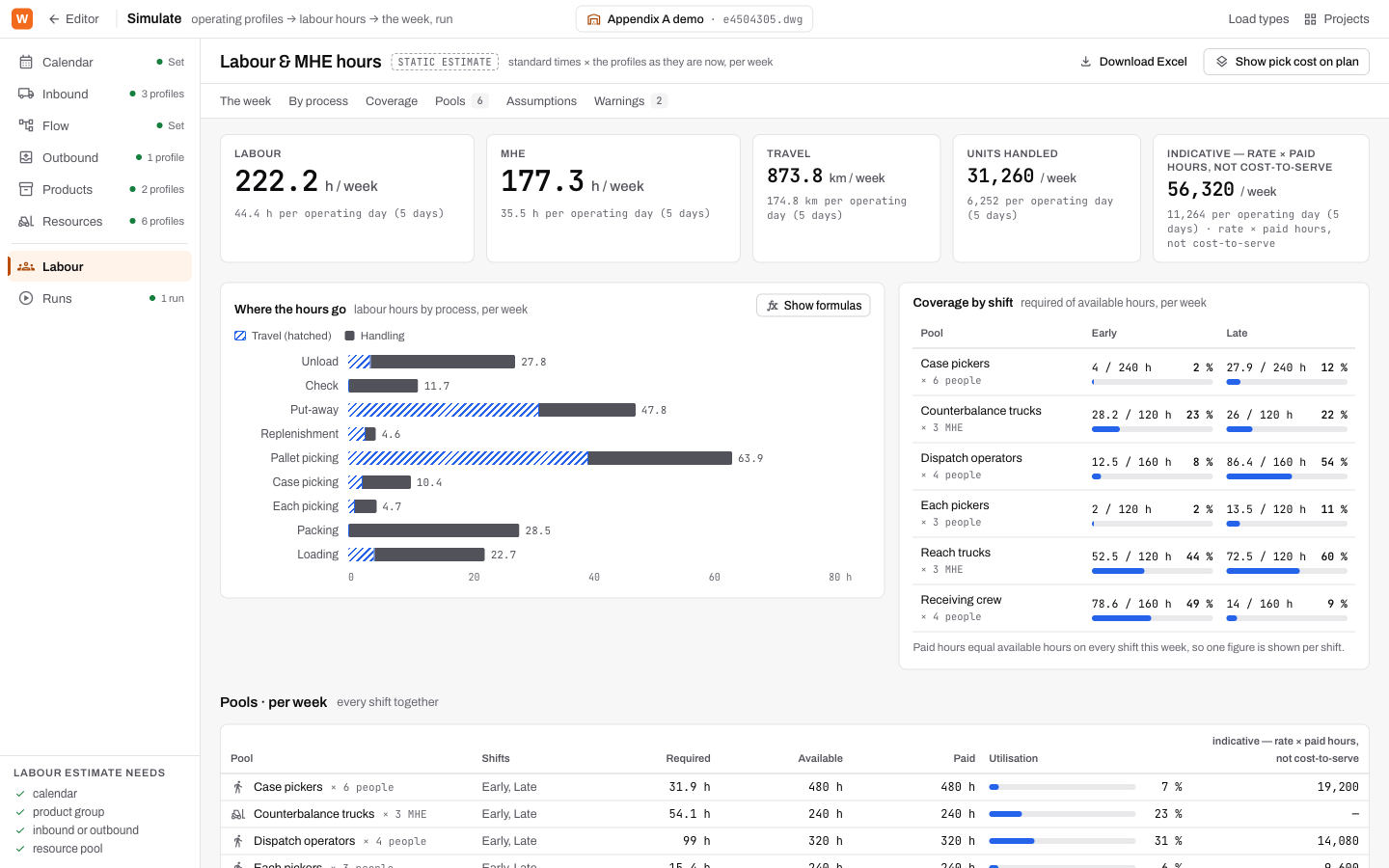
The tiles
Labour and MHE hours per week, Travel in kilometres, Units handled, and an indicative spend (rate × paid hours). Each tile also gives the figure per operating day.
The spend is labelled indicative, not cost-to-serve on purpose. It counts wages only.
Where the hours go
One bar per process. The hatched part is travel; the solid part is handling. Show formulas reveals the arithmetic behind each bar, so anyone can check it.
Coverage by shift
A table of pools against shifts. Each cell reads required / available hours and the percentage, with a meter. A pool that cannot cover its share is marked Short.
Pools, assumptions and warnings
- Pools: each pool's required, available and paid hours for the week, its utilisation and spend.
- Assumptions: every default the estimate used, such as a walking speed nobody entered.
- Warnings: anything the estimate could not do properly, such as hours that fall outside every shift (unallocated), or a distance it could not route and drew straight.
On the plan
Show pick cost on plan colours the racking by how much it costs to reach each bay. Bays near the doors are cheap; bays at the far end are expensive. It is a fast way to see where fast-moving stock should go.
Download Excel exports the whole estimate.
What it needs
The rail's Labour estimate needs list: a calendar, a product group, an inbound or outbound profile, and a resource pool. Until all four exist, the page says what is missing.
Try it
In the demo, read the Where the hours go chart. Which process takes the most hours, and how much of it is travel? Then open the Case pickers pool and change its count from 6 to 4. Watch its coverage change.
Words you just learned
Handling · travel · static estimate · required / available hours · utilisation · unallocated hours · pick cost.