
Appearance
What is Warehouse Studio?
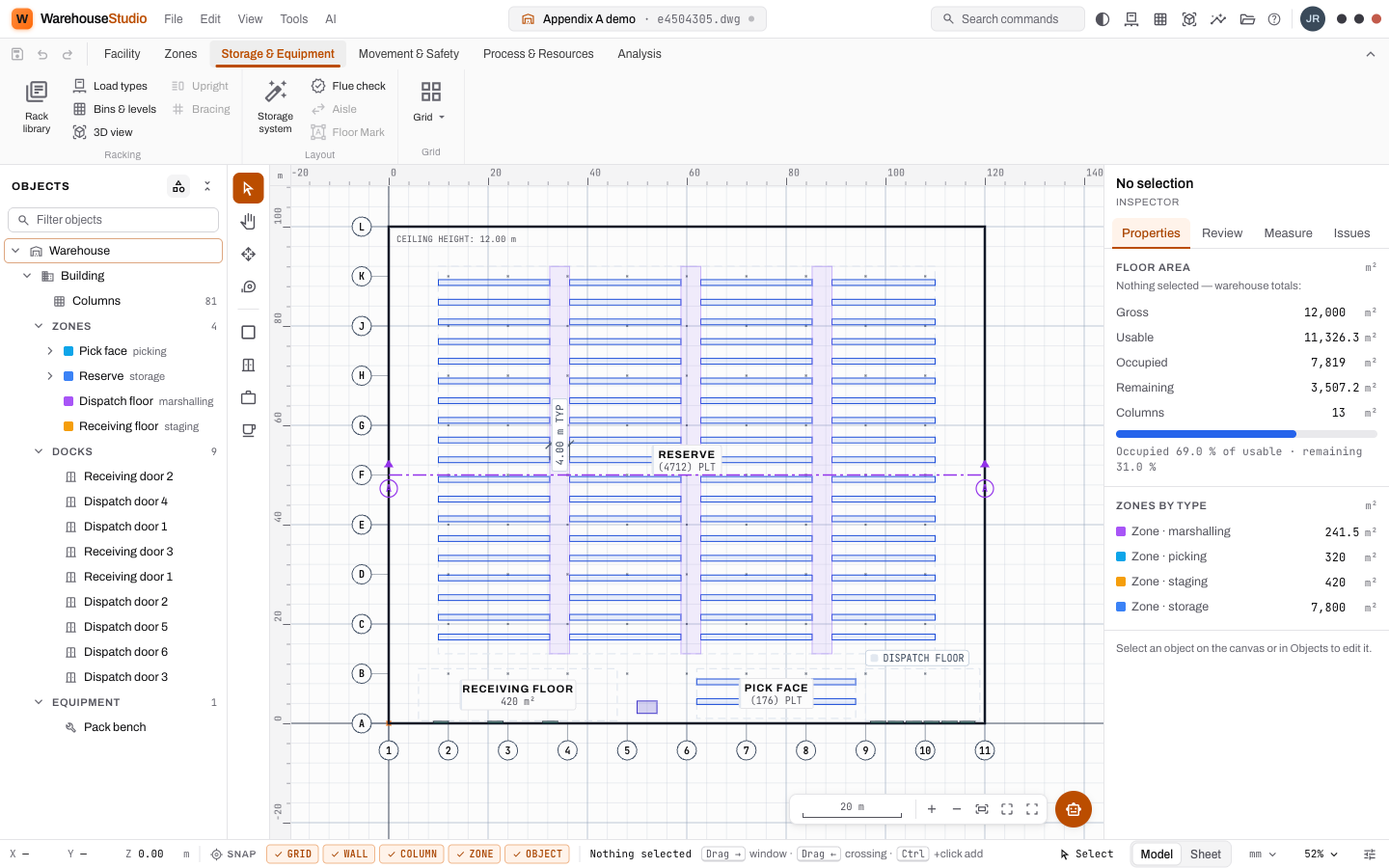
Warehouse Studio is a drawing tool that knows what a warehouse is.
In an ordinary drawing program, a rectangle is just a rectangle. In Warehouse Studio, a rectangle can be a building, a storage zone, a dock door or a pallet rack, and the program understands what each one is for. Because it understands, it can do things an ordinary drawing cannot:
- Fill a zone with racking in one click, laid out with the aisles a forklift needs.
- Count the storage honestly: how many pallets fit, and which positions no forklift can ever reach.
- Check the design against engineering rules: a rack too tall for the roof, a door with no road to it, a fire path that is too narrow.
- Run a week of operation on the drawing: trucks arriving, crews unloading, orders picked and shipped, with every delay explained.
- Hand over the deliverables: CAD drawings, Excel registers, PDF reports, a plotted sheet.
An AI copilot sits beside the canvas. You can describe a facility in a paragraph and it will build it, measure its own work, and tell you what it could not do.
Why it exists
Warehouse design used to live in spreadsheets and CAD files that did not talk to each other. The spreadsheet held the pallet counts. The CAD file held the drawing. The simulation, if there was one, lived with a consultant. When any of them changed, someone re-typed the numbers into the others, and the three slowly drifted apart.
Warehouse Studio keeps all of it in one model. The drawing is the capacity calculation is the simulation input. Change a rack height on the plan and the pallet count, the labour estimate and the next simulation run all see it.
Who it is for
| Role | What they get |
|---|---|
| A warehouse engineer or consultant | A faster, more honest design loop and a client-ready set of deliverables. |
| An operations manager | A way to ask "what if we add two pickers?" and get a figure with its uncertainty. |
| A property or finance person | A plan with its storage count, labour bill and assumptions written on it. |
| Someone who has never seen a warehouse | A guided way to learn what all of it means. That is what this course is for. |
What it is not
- It is not a warehouse management system (WMS). It does not run a real warehouse day to day. It designs and tests one.
- It does not pretend to know things it does not. When it assumes a figure, such as a door height nobody entered, it says so in the report, every time.
- It does not score your design out of ten. It measures and reports. The judgement is yours.
The shape of the course
The course follows the order the software is used in, which is also the order a warehouse is designed in.
text
 Understand  →  Draw  →  Fill  →  Run  →  Delegate  →  Hand over
(Part 0) (Part 1) (Part 2) (Part 3) (Part 4) (Part 5)- Understand what a warehouse does.
- Draw the building, its zones, doors and aisles.
- Fill it with racking and count what fits.
- Run it: profiles, a labour estimate, a simulation, a comparison.
- Delegate to the copilot, once you know what good looks like.
- Hand over the drawings and reports.
If you already know warehouses, skip the next page. If pallet, dock and pick face are new words to you, read it. Everything later leans on it.
Words you just learned
Model: the one description of the warehouse that the drawing, the counts and the simulation all read. Copilot: the AI assistant that edits the model through the same checks you use. Deliverable: a file the client receives.