
Appearance
Projects and scenarios
Why it matters
A warehouse design is never one drawing. It is a baseline and a handful of options: "what if the aisles were narrower?", "what if we added two doors?". Keeping those options side by side, without overwriting each other, is the first thing a design tool must get right.
In plain words
- A project is one facility for one client. Think of it as a folder.
- A scenario is one version of that facility. Think of it as one drawing in the folder.
- Cloning a scenario makes an exact copy you can change freely. The original stays as it was.
Everything a scenario holds travels with a clone: the drawing, the racking, the load types and the operating profiles. What stays behind is history: past simulation runs, exported files and the AI conversation.
In Warehouse Studio
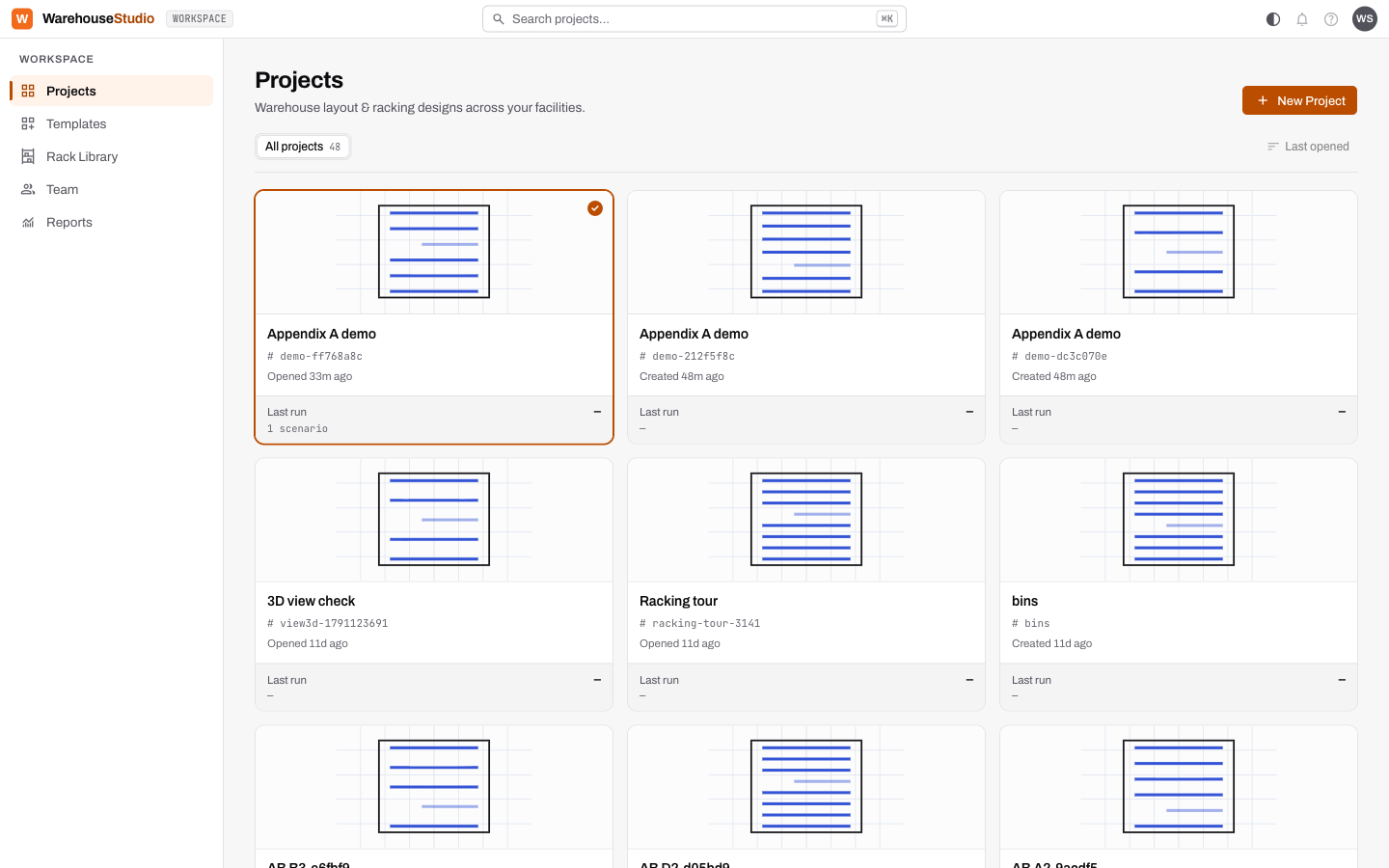
The Projects page shows one card per project. Each card shows a sketch of the plan, the project's short code, when it was last opened, and its last simulation run. The search box at the top finds a project by name; press Ctrl+K (or ⌘K on a Mac) to jump to it.
Create a project
- Click New Project, top right.
- Give it a name, for example Acme Distribution Centre.
- Click Create project. The new project becomes the selected card.
Create a scenario
- Under the selected project, click New scenario.
- Name it, for example Baseline, and optionally describe it.
- Click Create scenario. The editor opens on an empty canvas.
Clone a scenario
There are two ways to clone:
- On the Simulate page, open a run and click Compare ▸ Clone this scenario.
- Ask the copilot: "Clone this scenario as 'Option A'".
The clone appears beside the original under the project on the Projects page.
A good habit
Keep one scenario called Baseline that matches the real or agreed design, and never experiment in it. Clone it for every idea. When you compare later, you will always be comparing against the same thing.
Try it
Create a project called Sandbox and a scenario called Baseline. You will draw in it for the rest of Part 1.
Words you just learned
Project · scenario · clone · baseline.